Stakeholders
Everyone you work with, in one record.
One record of the people and organisations around your project. Every event and meeting keeps it current, and it remembers what was said.
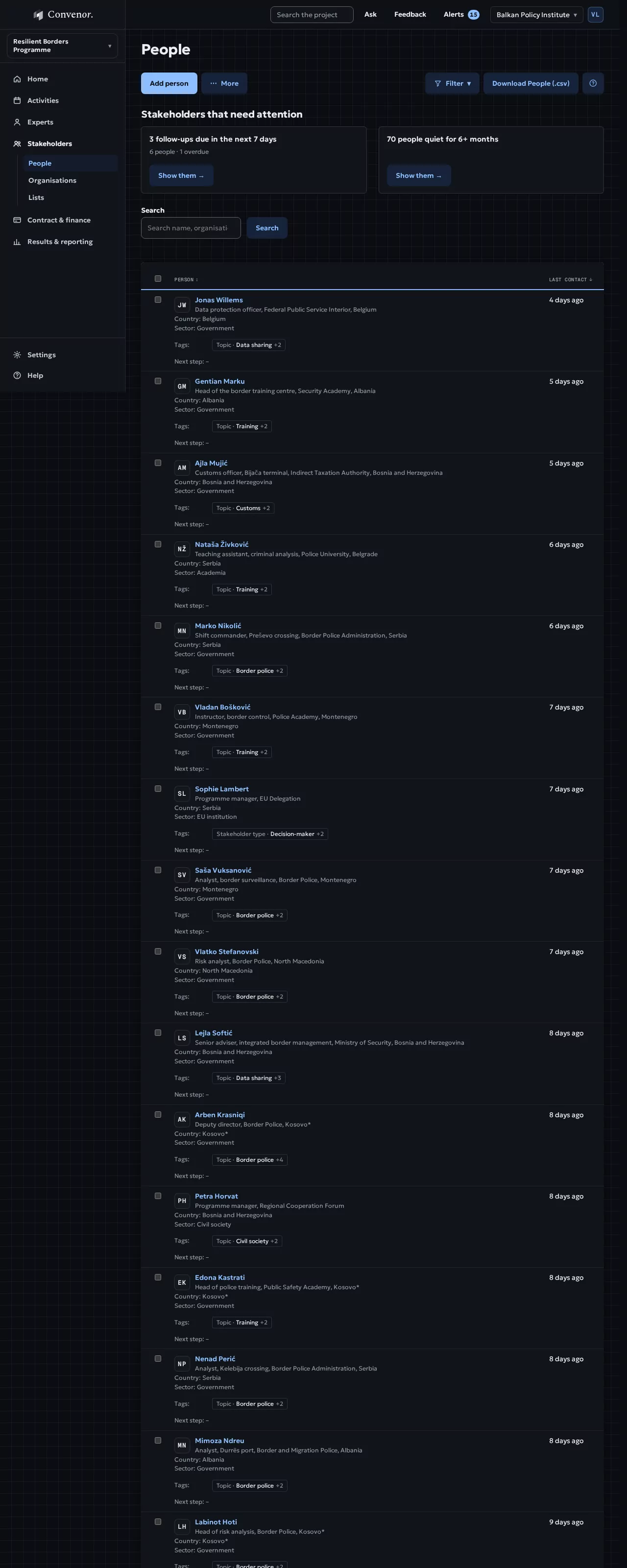
- People
- 148one record each
- Consent on file
- 94%renewal emails ready before it expires
- Follow-ups due
- 3this week, with an owner
- Quiet contacts
- 12no contact for 6+ months, flagged
How it runs
A record that keeps itself up to date
You bring your lists once. After that, every event, meeting and note keeps the records current.
- 01
Bring your lists
Import your spreadsheets once. Duplicates are matched by email.
Result: One record per person - 02
Find
Filter by country, sector, organisation or tag, or save a list that updates itself.
Result: Saved lists - 03
Invite
Invite one person or a whole list to any activity.
Result: Invitations on record - 04
Remember
Notes from missions, meetings and calls, each with a next step, an owner and a date.
Result: Follow-ups with an owner - 05
Count
Reach by gender, country and type of organisation, without counting by hand.
Result: Figures for your indicators
Walkthrough
See it in action
A record that keeps itself up to date.
Your spreadsheets become one record per person, matched by email.
In detail
Everything it does, in plain terms.
Day to day, for the people who run the project, and the evidence it leaves behind.
Keep the record
- People and organisationsPositions, countries, sectors and your own tags, the way you report on them.
- Records that fill themselvesInvitations, check-ins and logged meetings add to them.
- Bring your spreadsheetsImport once; duplicates matched by email.
Find and invite
- Search and filterBy country, sector, tag or activity.
- Saved and mailing listsRule-based lists that update themselves; copy every address for a BCC in one click.
- Invite to any activityOne person or a whole list; on hold only when the activity needs approval.
Remember
- Notes and follow-upsNotes from missions, meetings and calls on each person, with a next step, an owner and a date.
- Engagement over timeEvery activity someone joined, and in which role.
- Organisation recordsEveryone from one ministry or partner, in one view.
Data protection, built in
- Consent on fileGiven through the RSVP or recorded by hand, with its date. Before it expires, a renewal email is ready to send.
- Requests from peopleA copy of their data, a correction or deletion: each request is followed step by step against its 30-day deadline, with what you hold and where it came from.
- Kept only as long as neededA download of who accessed what. When the project closes, personal data can be deleted while the counts stay for your reports.
Next step
See it with your own project
Thirty minutes, with a project like yours.